Pages

Thursday, March 28, 2013

Network Diagram for Network Plan 1


We created the network plan above consisting of a medium-size network which includes the Livermore headquarters with two branches connected via the internet using T1 lines connecting the two branches to the Livermore headquarters.  Each location consist of two LAN'S with two PC's.

To view Network Plan 1 instructions, please click this link:   Assignment.

We drew out our network diagram and defined the logical addresses and created the diagram with Microsoft Visio 2013.  This project gave me a better understanding of how to address interfaces and diagram them visually, so anyone can look at it and be able to get a clear perspective on how the networks interconnect.

It was great working with Birdie.  We worked really well together to accomplish this assignment correctly and on time.  


Wednesday, February 27, 2013

NETWORK TROUBLESHOOTING ISSUES

Network Troubleshooting Issues & Possible Resolutions:


CONNECTIVITY ISSUES:

  • Check to see if cable is plugged in
  • Check link light
    • Swap cables
    • Check card - Device Manager if  card is working properly, if not reinstall drivers - still not working indicates bad card


INTERFERENCE ISSUES:
 

WIRELESS

  • Same frequency
  • Cordless phones
  • Video distribution systems it uses all your wireless frequencies
  • Physical structure degradation of signal


  WIRED 
  • Not next to motors or fluorescent lights
Causing EMI
  •  Cables kinked or worn
    • Route through wall or ceilings
    • If floors make sure cables are encased


PROTOCOL ISSUES:
  • Protocol installed
  • DHCP Settings
    • Address  - must be unique
    • Mask - right network
    • Router - default gateway is correct
    • DNS server - make sure it is correct
      • USE IPCONFIG /ALL  to verify correct settings


COMMUNICATION ISSUES:
PING can tell you a lot about the status of your network.    Ping the :
  • Loopback 127.0.0.1 to test your TCP/IP configurations on your local host.
  • A destination , no response try to ping another host,
    • If no response, check cables, NIC, or the IP configurations on you computer
    • If connects to private but not internet, then, verify default gateway on your computer
    • If all computers cannot connect to a remote computer, troubleshoot the router connection on the remote network.
  • DNS, by IP address works, but ping to DNS name fails, then you probably have a DNS (name resolution)  problem.
If the remote system your trying to test is on a different network segment use:
  • TRACERT to check the path of a ping
  • Check each step of the path to see if something is blocking communications.


NETWORK ISSUES:
Network FIREWALLS  are pre-programmed to not let PING echo  packets through.
- Check firewalls on both end devices to see if communications are being blocked by a host-based firewall.
- Check the service on the target device to make sure that it is running and is properly configured.  For example:  if you can not access a shared folder, make sure the folder is shared.


RESOURCE ACCESS ISSUES:
Login issues
  •  Verify Username & password
  • Ensure caps & number locks are disabled
  • Account Lockout  attempts
  • Verify user's account is enabled
  • Verify user has the needed permissions to access resouces

Thursday, February 14, 2013

Test Your Skill With This OSI Networking Model Game!!!

"Open System Interconnection (OSI) Model"

The Open System Interconnection (OSI) Model defines the frame work for implementing protocols in seven (7) layers.  It is how information goes from the application in one computer moves through a network medium to an application in another computer.


How well do you really know the OSI Networking Model? 
 Test yourself with our OSI Model game


Share your score and compare yourself to the best!!!


Friday, January 25, 2013

STORAGE GAMES


TEST YOUR READINESS ON THE COMPTIA A-PLUS STORAGE DEVICES FRAMEWORK...


I created these games to help you get ready to take the Comptia A-Plus Storage Devices Framework.  The focus on  these two games is storage devices and solutions.  Get ready to take these tests and find out how much you know about storage devices.  

 Click on the following games and test your readiness....

ATA/IDE Game:                                                 Storage Solutions Game:

100%  = You exceeded Comptia storage devices criteria
  90%  =  You meet the Comptia storage devices criteria
  80%  =   You may be guessing on the Comptia storage devices criteria
  70%  =   You need to study more of Comptia storage devices criteria

Wednesday, December 12, 2012

 
The weekend of October 19th through the 21st, was entirely amazing and energizing. I would not trade it for a trip to Disney. It was my first experience in participating in a StartUp battle.  Four teams were selected out of 18 pitches and were given 48 hours to think, build and pitch a product.  What a challenge!   


 Kudos to Venture X, Co-Founders Brent and David Diamond for making this event happen in SW Florida. 


Team Chime - The Winning Team


Congratulations to Team Chime for winning the StartUp Battle. They created a smartphone-enabled doorbell that alerts you when someone’s at the door.  I agree, they not only created the product and website but their financial plan was strong and ready to be financed. 


Each team’s ability to build camaraderie and collaboration was admirable. Kudos to all of you. 

Venture X Start Up Battle Participants 

Team Rectangle: NFC  enabled business cards,
which automatically sync with Android phones.


I was part of the Rectangle group that pitched the idea of a NFC (near-field communications) enabled business card which automatically syncs with Android phones. 

Marc Anthony Rosa presenting the Rectangle product.


It was Marc Rosa’s idea and he was great at leading us through the business plan. After identifying each of our skills and talents, he put us to work and kept us on task. 


Rectangle App created by  Tyler Thomas.                 


Tyler Thomas amazed us with his ability to build an Android app in two days! Panell wowed us with his artistic talent creating our graphic designs and logo for the Android app and presentation.
Dereck McCan and myself worked on research, collaborating with the team on the business plan, script and support. We worked so well together it was like making music. It was great fun!


                                                               THE OTHER TEAMS
 
 Team BAUSS Management: a single portal
for all communication homeowners associations
Team ProNector: an app that connects
 people with like minds.


Team Accessory Addict: created a
subscription-based accessories service for women.


.


Wednesday, November 28, 2012

Laptop Repair


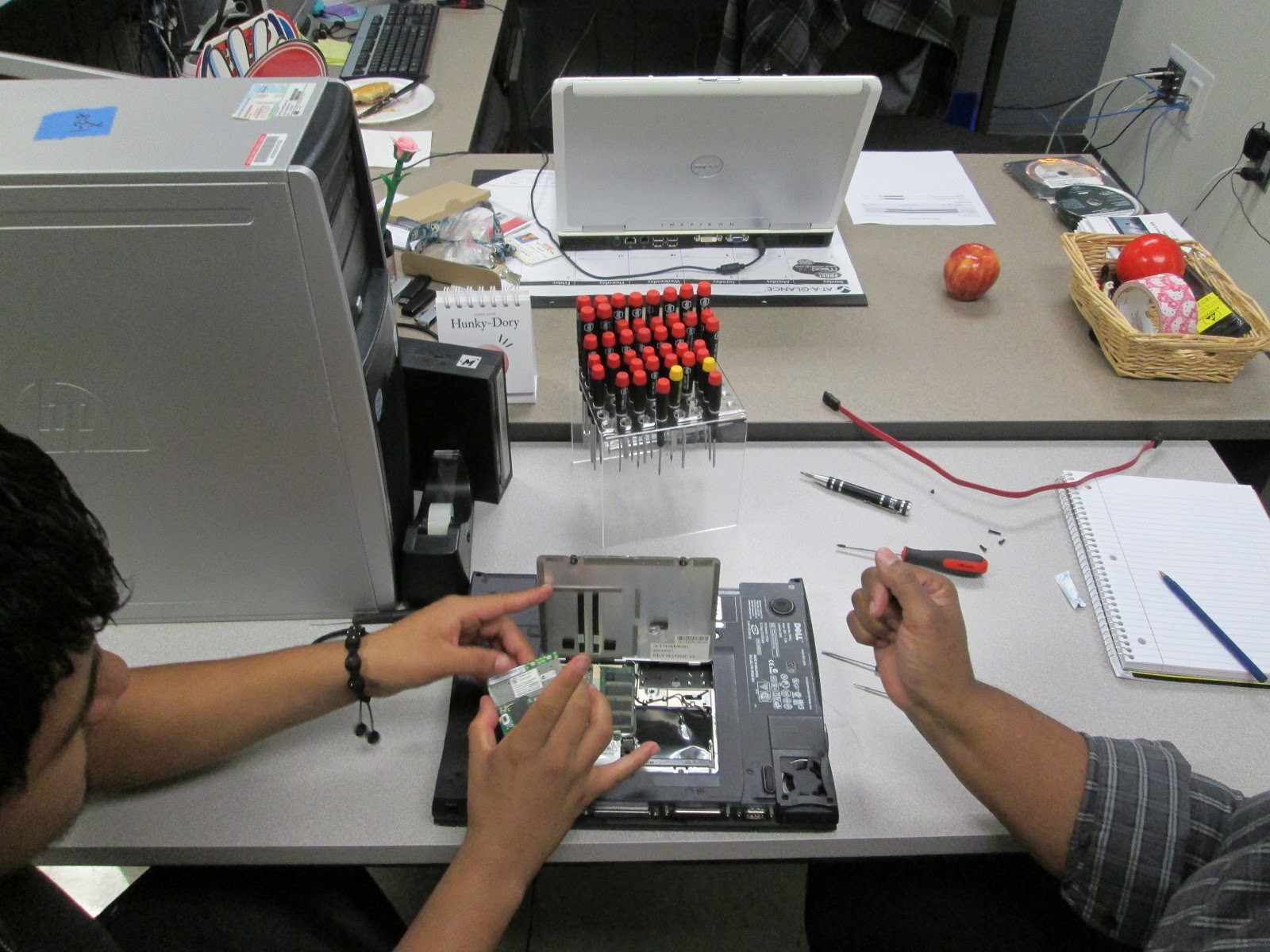
  Oh, what a blast!  It was lots of fun removing and replacing parts in this laptop with Pedro Hernandez and myself.  The hardest part was opening the laptop case.  Once, inside it was a piece of cake removing and replacing the memory, modem, and wireless network.


Friday, November 16, 2012

My Plight Into Creating My Blogger.


     Ohhh, it looks so cool.  I want to create my blog.  Oh, oh, how do I get started?  Ooops, what is this?  Oh no, where am I?  How do I get back to that page?  Ohhh, what, where, how, this is a whirlwind!  Helppppp!  I am lost.  Ugh, I am going crazy.
     Creating a blog looks fast and easy to do, but be aware it is an adventure.  I just went on a ride with blinders lots of ohhhs and ahhhs.  My instructor and fellow classmates are on standby responding to my annoying queries and finally this post.  In retrospect, it was, as fun as, a roller coaster ride.  Hasta la vista!  Until the next time…